Google Sheets Nâng Cao Bài 10: Apps Script Nâng Cao - API Calls, JSON và Web App
 Tuân Hoang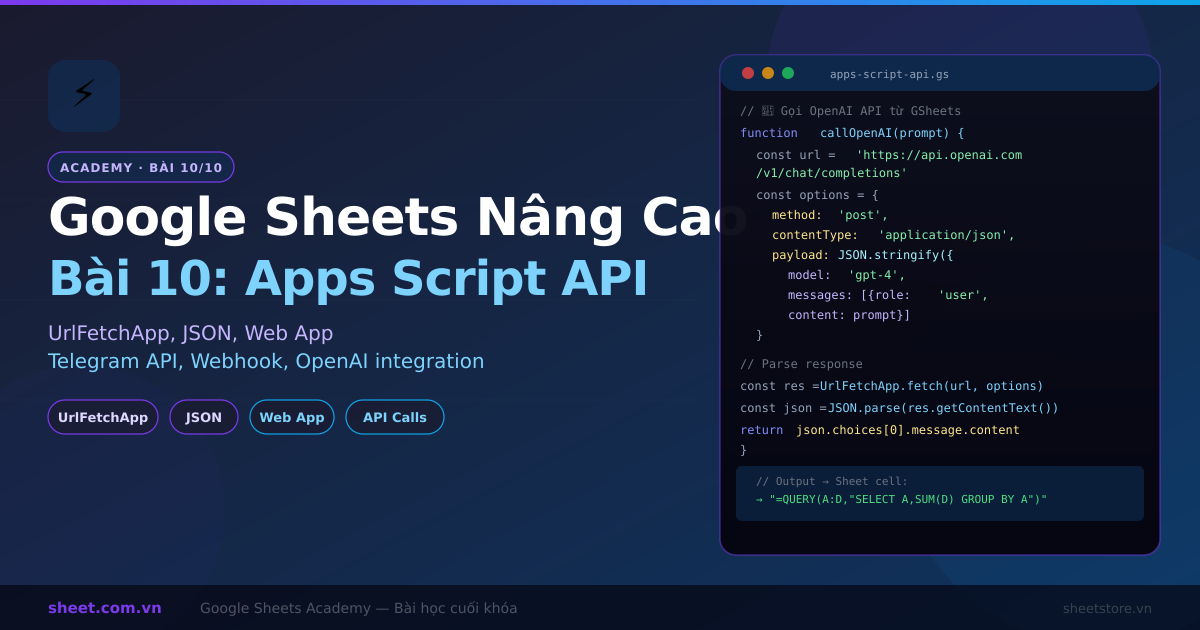
Google Sheets Nâng Cao Bài 10: Apps Script Nâng Cao - API Calls, JSON và Web App
📚 Series Google Sheets Nâng Cao (Bài 10/10 — Bài Kết)
Bài 1: Data Validation nâng cao | Bài 2: Conditional Formatting | Bài 3: IMPORTRANGE & kết nối sheet | Bài 4: Array Formulas | Bài 5: Apps Script cơ bản | Bài 6: QUERY function | Bài 7: Dashboard & Charts | Bài 8: Pivot Table nâng cao | Bài 9: Automation với Triggers | Bài 10: Apps Script Nâng Cao (Bài này)
Chào mừng bạn đến với bài học cuối cùng trong series Google Sheets Nâng Cao 10 bài! Sau khi đã nắm vững Apps Script cơ bản ở Bài 5, hôm nay chúng ta sẽ tiến thêm một bước — học cách gọi external API, xử lý JSON, và thậm chí biến Google Sheets thành một Web App thực sự.
Đây là kiến thức giúp bạn xây dựng những hệ thống tự động hóa mạnh mẽ, tích hợp với hàng trăm dịch vụ bên ngoài như Telegram, Slack, CRM, hay bất kỳ REST API nào.
Trả lời nhanh: Bài cuối series hướng dẫn Apps Script nâng cao: gọi API bên ngoài bằng UrlFetchApp (GET, POST JSON), lưu API key bằng PropertiesService thay vì viết thẳng trong code, xử lý JSON phức tạp, tạo Web App và webhook nhận dữ liệu, gửi thông báo Telegram, dựng mini CRM ngay trong Google Sheets, xử lý lỗi và phân biệt bản triển khai thử với bản chính thức.
1. Ôn Lại Bài 5: Apps Script Cơ Bản
Trước khi đi vào nội dung nâng cao, hãy nhanh chóng ôn lại những gì đã học ở Bài 5:
- Apps Script Editor: Truy cập qua Extensions → Apps Script
- SpreadsheetApp: API chính để thao tác với Google Sheets
- getActiveSheet(), getRange(), getValue()/setValue()
- Simple triggers: onOpen, onEdit (onFormSubmit phải cài dạng installable trigger)
- Time-driven triggers: chạy script theo lịch
Nếu bạn chưa đọc Bài 5, hãy quay lại xem trước. Bài 10 này yêu cầu kiến thức nền tảng từ Bài 5.
2. UrlFetchApp: Gọi External API từ Apps Script
UrlFetchApp là service quan trọng nhất trong Apps Script cho phép bạn thực hiện HTTP requests — GET, POST, PUT, DELETE — đến bất kỳ URL nào trên internet.
2.1. GET Request Cơ Bản
function fetchWeatherData() {
  // Gọi API thời tiết miễn phí (ví dụ)
  const city = 'Ho Chi Minh';
  const apiKey = 'YOUR_API_KEY'; // Lưu trong PropertiesService
  const url = 'https://api.openweathermap.org/data/2.5/weather?q='
               + encodeURIComponent(city)
               + '&appid=' + apiKey
               + '&units=metric&lang=vi';

  try {
    const response = UrlFetchApp.fetch(url);
    const statusCode = response.getResponseCode();

    if (statusCode === 200) {
      const jsonText = response.getContentText();
      const data = JSON.parse(jsonText);

      // Lấy thông tin từ JSON
      const temp = data.main.temp;
      const description = data.weather[0].description;
      const humidity = data.main.humidity;

      // Ghi vào sheet
      const sheet = SpreadsheetApp.getActiveSheet();
      sheet.getRange('A1').setValue('Nhiệt độ: ' + temp + '°C');
      sheet.getRange('A2').setValue('Thời tiết: ' + description);
      sheet.getRange('A3').setValue('Độ ẩm: ' + humidity + '%');
      sheet.getRange('A4').setValue('Cập nhật: ' + new Date().toLocaleString('vi-VN'));

      Logger.log('Lấy dữ liệu thành công!');
    } else {
      Logger.log('Lỗi HTTP: ' + statusCode);
    }
  } catch (e) {
    Logger.log('Lỗi: ' + e.toString());
  }
}
2.2. POST Request với JSON Body
function postDataToAPI() {
  const url = 'https://api.example.com/orders';

  // Dữ liệu cần gửi
  const payload = {
    orderId: 'ORD-2027-001',
    customer: 'Nguyễn Văn A',
    total: 1500000,
    items: [
      { name: 'Sản phẩm A', qty: 2, price: 500000 },
      { name: 'Sản phẩm B', qty: 1, price: 500000 }
    ]
  };

  const options = {
    method: 'POST',
    contentType: 'application/json',
    headers: {
      'Authorization': 'Bearer ' + getApiKey(), // Lấy từ PropertiesService
      'X-Custom-Header': 'GoogleSheets-Integration'
    },
    payload: JSON.stringify(payload),
    muteHttpExceptions: true // Không throw exception khi lỗi HTTP
  };

  const response = UrlFetchApp.fetch(url, options);
  const result = JSON.parse(response.getContentText());

  if (result.success) {
    Logger.log('Order created: ' + result.orderId);
    return result;
  } else {
    Logger.log('API Error: ' + result.message);
    throw new Error(result.message);
  }
}

// Helper: Lấy API key từ PropertiesService (bảo mật hơn hardcode)
function getApiKey() {
  return PropertiesService.getScriptProperties().getProperty('API_KEY');
}
2.3. Lưu API Keys An Toàn với PropertiesService
// Chạy một lần để lưu API key
function setupApiKeys() {
  const props = PropertiesService.getScriptProperties();
  props.setProperty('OPENWEATHER_API_KEY', 'abc123xyz');
  props.setProperty('TELEGRAM_BOT_TOKEN', '12345:ABCDEF');
  props.setProperty('TELEGRAM_CHAT_ID', '-100123456789');
  Logger.log('API keys đã được lưu an toàn!');
}

// Đọc API key
function getProperty(key) {
  return PropertiesService.getScriptProperties().getProperty(key);
}
Quan trọng: Không bao giờ hardcode API keys trực tiếp trong code. Dùng PropertiesService để lưu trữ an toàn. Key không nằm trong code nên không lộ khi bạn chia sẻ hay đưa code lên Git (người có quyền sửa project vẫn xem được trong Project Settings → Script Properties).
3. Xử Lý JSON Response Nâng Cao
3.1. Parse JSON Phức Tạp
function processComplexJSON() {
  // Giả sử API trả về danh sách đơn hàng
  const sampleResponse = {
    "status": "success",
    "data": {
      "orders": [
        {
          "id": "ORD001",
          "date": "2027-01-15",
          "customer": { "name": "Nguyễn Văn A", "phone": "0901234567" },
          "items": [
            { "product": "Áo polo", "qty": 2, "price": 350000 }
          ],
          "total": 700000,
          "status": "delivered"
        },
        {
          "id": "ORD002",
          "date": "2027-01-16",
          "customer": { "name": "Trần Thị B", "phone": "0987654321" },
          "items": [
            { "product": "Quần jean", "qty": 1, "price": 650000 },
            { "product": "Áo thun", "qty": 3, "price": 200000 }
          ],
          "total": 1250000,
          "status": "processing"
        }
      ],
      "totalOrders": 2,
      "totalRevenue": 1950000
    }
  };

  const orders = sampleResponse.data.orders;
  const sheet = SpreadsheetApp.getActiveSheet();

  // Headers
  sheet.getRange(1, 1, 1, 6).setValues([
    ['Order ID', 'Ngày', 'Khách hàng', 'SĐT', 'Tổng tiền', 'Trạng thái']
  ]);

  // Data rows
  orders.forEach((order, index) => {
    const row = index + 2;
    sheet.getRange(row, 1, 1, 6).setValues([[
      order.id,
      order.date,
      order.customer.name,
      order.customer.phone,
      order.total,
      order.status
    ]]);
  });

  // Tóm tắt
  Logger.log('Tổng đơn hàng: ' + sampleResponse.data.totalOrders);
  Logger.log('Tổng doanh thu: ' + sampleResponse.data.totalRevenue.toLocaleString() + ' VND');
}
3.2. Chuyển Sheet Data thành JSON để gửi API
function sheetToJSON() {
  const sheet = SpreadsheetApp.getActiveSheet();
  const data = sheet.getDataRange().getValues();

  const headers = data[0]; // Hàng đầu tiên là headers
  const rows = data.slice(1); // Các hàng còn lại

  const jsonArray = rows
    .filter(row => row[0] !== '') // Bỏ hàng trống
    .map(row => {
      const obj = {};
      headers.forEach((header, i) => {
        obj[header] = row[i];
      });
      return obj;
    });

  Logger.log(JSON.stringify(jsonArray, null, 2));
  return jsonArray;
}
4. Tạo Web App từ Apps Script
Đây là một trong những tính năng powerful nhất — bạn có thể deploy Apps Script như một web server thực sự!
4.1. Hiểu doGet và doPost
// doGet: Xử lý HTTP GET request
function doGet(e) {
  const action = e.parameter.action || 'default';

  if (action === 'getOrders') {
    const orders = getOrdersFromSheet();
    return ContentService
      .createTextOutput(JSON.stringify({ success: true, data: orders }))
      .setMimeType(ContentService.MimeType.JSON);
  }

  if (action === 'getStats') {
    const stats = getStatsFromSheet();
    return ContentService
      .createTextOutput(JSON.stringify(stats))
      .setMimeType(ContentService.MimeType.JSON);
  }

  // Default: trả về HTML page
  return HtmlService.createHtmlOutputFromFile('index');
}

// doPost: Xử lý HTTP POST request (webhook, form submission)
function doPost(e) {
  try {
    const data = JSON.parse(e.postData.contents);

    // Lưu data vào sheet
    const sheet = SpreadsheetApp.openById('SPREADSHEET_ID')
                                .getSheetByName('Data');
    sheet.appendRow([
      new Date(),
      data.name,
      data.email,
      data.message
    ]);

    return ContentService
      .createTextOutput(JSON.stringify({ success: true, message: 'Đã nhận dữ liệu!' }))
      .setMimeType(ContentService.MimeType.JSON);

  } catch (error) {
    return ContentService
      .createTextOutput(JSON.stringify({ success: false, error: error.toString() }))
      .setMimeType(ContentService.MimeType.JSON);
  }
}
4.2. HTMLService — Tạo UI Nhúng Vào Google Sheets
Tạo file index.html trong Apps Script Editor:
<!-- index.html -->
<!DOCTYPE html>
<html>
<head>
  <base target="_top">
  <style>
    body { font-family: Arial, sans-serif; padding: 20px; }
    .form-group { margin-bottom: 15px; }
    label { display: block; margin-bottom: 5px; font-weight: bold; }
    input, textarea { width: 100%; padding: 8px; border: 1px solid #ddd; border-radius: 4px; }
    button { background: #4285f4; color: white; padding: 10px 20px; border: none; border-radius: 4px; cursor: pointer; }
    .success { color: green; margin-top: 10px; }
    .error { color: red; margin-top: 10px; }
  </style>
</head>
<body>
  <h2>Thêm Khách Hàng Mới</h2>
  <div class="form-group">
    <label>Tên khách hàng:</label>
    <input type="text" id="name" placeholder="Nguyễn Văn A">
  </div>
  <div class="form-group">
    <label>Email:</label>
    <input type="email" id="email" placeholder="email@example.com">
  </div>
  <div class="form-group">
    <label>Số điện thoại:</label>
    <input type="text" id="phone" placeholder="0901234567">
  </div>
  <div class="form-group">
    <label>Ghi chú:</label>
    <textarea id="note" rows="3" placeholder="Ghi chú..."></textarea>
  </div>
  <button onclick="submitForm()">Thêm Khách Hàng</button>
  <div id="message"></div>

  <script>
    function submitForm() {
      const data = {
        name: document.getElementById('name').value,
        email: document.getElementById('email').value,
        phone: document.getElementById('phone').value,
        note: document.getElementById('note').value
      };

      if (!data.name || !data.email) {
        document.getElementById('message').innerHTML = '<p class="error">Vui lòng điền đầy đủ thông tin!</p>';
        return;
      }

      google.script.run
        .withSuccessHandler(onSuccess)
        .withFailureHandler(onFailure)
        .addCustomer(data);
    }

    function onSuccess(result) {
      document.getElementById('message').innerHTML = '<p class="success">✅ Thêm thành công! ID: ' + result.id + '</p>';
      // Clear form
      ['name', 'email', 'phone', 'note'].forEach(id => document.getElementById(id).value = '');
    }

    function onFailure(error) {
      document.getElementById('message').innerHTML = '<p class="error">❌ Lỗi: ' + error.message + '</p>';
    }
  </script>
</body>
</html>
Code Apps Script xử lý form:
// Code.gs
function addCustomer(data) {
  const sheet = SpreadsheetApp.getActiveSpreadsheet()
                              .getSheetByName('Customers');

  const id = 'KH-' + Date.now();
  sheet.appendRow([
    id,
    data.name,
    data.email,
    data.phone,
    data.note,
    new Date().toLocaleDateString('vi-VN')
  ]);

  return { success: true, id: id };
}

// Mở sidebar trong Sheets
function openCustomerForm() {
  const html = HtmlService.createHtmlOutputFromFile('index')
                          .setTitle('Thêm Khách Hàng')
                          .setWidth(400);
  SpreadsheetApp.getUi().showSidebar(html);
}

// Thêm menu tùy chỉnh
function onOpen() {
  SpreadsheetApp.getUi()
    .createMenu('CRM Tools')
    .addItem('Thêm Khách Hàng', 'openCustomerForm')
    .addItem('Gửi Báo Cáo Telegram', 'sendDailyReportToTelegram')
    .addToUi();
}
5. Tích Hợp Telegram API: Gửi Thông Báo từ Google Sheets
Đây là use case cực kỳ phổ biến trong doanh nghiệp Việt Nam — gửi thông báo đơn hàng mới, báo cáo doanh thu hàng ngày, cảnh báo tồn kho thấp,... trực tiếp lên Telegram.
5.1. Setup Telegram Bot
- Mở Telegram, tìm @BotFather
- Gõ
/newbot, đặt tên và username cho bot - BotFather sẽ cấp Bot Token dạng
123456:ABCDEFabcdef - Add bot vào group/channel, lấy Chat ID bằng cách gọi API:
https://api.telegram.org/botTOKEN/getUpdates
5.2. Gửi Tin Nhắn Text
function sendTelegramMessage(message) {
  const token = getProperty('TELEGRAM_BOT_TOKEN');
  const chatId = getProperty('TELEGRAM_CHAT_ID');

  const url = 'https://api.telegram.org/bot' + token + '/sendMessage';

  const payload = {
    chat_id: chatId,
    text: message,
    parse_mode: 'HTML' // Hỗ trợ HTML formatting
  };

  const options = {
    method: 'POST',
    contentType: 'application/json',
    payload: JSON.stringify(payload),
    muteHttpExceptions: true
  };

  const response = UrlFetchApp.fetch(url, options);
  const result = JSON.parse(response.getContentText());

  if (result.ok) {
    Logger.log('Telegram message sent successfully!');
  } else {
    Logger.log('Telegram error: ' + result.description);
  }

  return result;
}
5.3. Báo Cáo Doanh Thu Hàng Ngày Tự Động
function sendDailyReportToTelegram() {
  const sheet = SpreadsheetApp.getActiveSpreadsheet()
                              .getSheetByName('DonHang');
  const data = sheet.getDataRange().getValues();

  const today = new Date().toLocaleDateString('vi-VN');
  let todayRevenue = 0;
  let todayOrders = 0;

  // Tính doanh thu hôm nay (cột A: ngày, cột E: tổng tiền)
  for (let i = 1; i < data.length; i++) {
    const orderDate = new Date(data[i][0]).toLocaleDateString('vi-VN');
    if (orderDate === today) {
      todayRevenue += data[i][4] || 0;
      todayOrders++;
    }
  }

  const message = [
    '<b>📊 Báo Cáo Doanh Thu Hôm Nay</b>',
    '📅 Ngày: ' + today,
    '🛒 Số đơn hàng: <b>' + todayOrders + '</b>',
    '💰 Doanh thu: <b>' + todayRevenue.toLocaleString('vi-VN') + ' ₫</b>',
    '',
    '✅ Dữ liệu từ SheetStore Dashboard'
  ].join('
');

  sendTelegramMessage(message);
}

// Setup trigger tự động gửi lúc 20:00 mỗi ngày
function setupDailyTrigger() {
  // Xóa triggers cũ nếu có
  ScriptApp.getProjectTriggers().forEach(trigger => {
    if (trigger.getHandlerFunction() === 'sendDailyReportToTelegram') {
      ScriptApp.deleteTrigger(trigger);
    }
  });

  // Tạo trigger mới
  ScriptApp.newTrigger('sendDailyReportToTelegram')
    .timeBased()
    .everyDays(1)
    .atHour(20)
    .create();

  Logger.log('Đã setup trigger gửi báo cáo lúc 20:00 mỗi ngày!');
}
5.4. Cảnh Báo Tồn Kho Thấp
function checkLowStock() {
  const sheet = SpreadsheetApp.getActiveSpreadsheet()
                              .getSheetByName('TonKho');
  const data = sheet.getDataRange().getValues();

  const lowStockItems = [];
  const THRESHOLD = 10; // Cảnh báo khi tồn kho < 10

  for (let i = 1; i < data.length; i++) {
    const productName = data[i][0];
    const currentStock = data[i][2];
    const minStock = data[i][3] || THRESHOLD;

    if (productName && currentStock < minStock) {
      lowStockItems.push({
        name: productName,
        stock: currentStock,
        min: minStock
      });
    }
  }

  if (lowStockItems.length > 0) {
    let message = '<b>⚠️ CẢNH BÁO: Tồn Kho Thấp!</b>

';
    lowStockItems.forEach(item => {
      message += '🔴 ' + item.name + ': còn <b>' + item.stock + '</b> (min: ' + item.min + ')
';
    });
    message += '
📱 Vui lòng bổ sung hàng ngay!';

    sendTelegramMessage(message);
    Logger.log('Đã gửi cảnh báo cho ' + lowStockItems.length + ' sản phẩm');
  } else {
    Logger.log('Tồn kho ổn định, không cần cảnh báo');
  }
}
6. Tạo Webhook Receiver
Web App (doPost) có thể hoạt động như một webhook endpoint — nhận dữ liệu từ các dịch vụ bên ngoài và lưu vào Google Sheets tự động.
// Webhook nhận đơn hàng từ website/app
function doPost(e) {
  try {
    // Verify webhook signature (bảo mật)
    const signature = e.parameter.sig || '';
    if (!verifySignature(e.postData.contents, signature)) {
      return ContentService
        .createTextOutput(JSON.stringify({ error: 'Invalid signature' }))
        .setMimeType(ContentService.MimeType.JSON);
    }

    const order = JSON.parse(e.postData.contents);

    // Lưu vào Sheets
    const sheet = SpreadsheetApp.openById('SPREADSHEET_ID')
                                .getSheetByName('Orders');
    sheet.appendRow([
      order.orderId,
      order.customerName,
      order.customerEmail,
      order.totalAmount,
      order.paymentMethod,
      order.status,
      new Date()
    ]);

    // Gửi Telegram notification
    const msg = '🛒 <b>Đơn Hàng Mới!</b>
' +
                '📦 Mã: ' + order.orderId + '
' +
                '👤 KH: ' + order.customerName + '
' +
                '💰 Tổng: ' + parseInt(order.totalAmount).toLocaleString('vi-VN') + ' ₫';
    sendTelegramMessage(msg);

    return ContentService
      .createTextOutput(JSON.stringify({ success: true, received: order.orderId }))
      .setMimeType(ContentService.MimeType.JSON);

  } catch (error) {
    Logger.log('Webhook error: ' + error.toString());
    return ContentService
      .createTextOutput(JSON.stringify({ success: false, error: error.message }))
      .setMimeType(ContentService.MimeType.JSON);
  }
}

function verifySignature(body, sig) {
  const secret = getProperty('WEBHOOK_SECRET');
  const expected = Utilities.computeHmacSha256Signature(body, secret);
  const expectedHex = expected.map(b => ('0' + (b & 0xFF).toString(16)).slice(-2)).join('');
  return sig === expectedHex;
}
7. Mini CRM Nhúng Trong Google Sheets
Kết hợp tất cả kỹ năng trên để xây dựng một mini CRM hoàn chỉnh:
// === MINI CRM SYSTEM ===

// 1. Menu setup
function onOpen() {
  const ui = SpreadsheetApp.getUi();
  ui.createMenu('🏪 CRM Tools')
    .addItem('➕ Thêm khách hàng', 'openAddCustomerDialog')
    .addItem('📧 Gửi email hàng loạt', 'openBulkEmailDialog')
    .addSeparator()
    .addItem('📊 Báo cáo Telegram', 'sendDailyReportToTelegram')
    .addItem('⚠️ Check tồn kho', 'checkLowStock')
    .addSeparator()
    .addItem('🔄 Sync từ API', 'syncFromExternalAPI')
    .addToUi();
}

// 2. Sync data từ external CRM API
function syncFromExternalAPI() {
  const apiUrl = 'https://api.yourcrm.com/customers';
  const apiKey = getProperty('CRM_API_KEY');

  const options = {
    method: 'GET',
    headers: {
      'Authorization': 'Bearer ' + apiKey,
      'Content-Type': 'application/json'
    },
    muteHttpExceptions: true
  };

  const response = UrlFetchApp.fetch(apiUrl, options);

  if (response.getResponseCode() !== 200) {
    SpreadsheetApp.getUi().alert('Lỗi kết nối API: ' + response.getResponseCode());
    return;
  }

  const customers = JSON.parse(response.getContentText()).data;
  const sheet = SpreadsheetApp.getActiveSpreadsheet().getSheetByName('Customers');

  // Clear và rewrite (hoặc dùng incremental sync phức tạp hơn)
  sheet.clearContents();
  sheet.appendRow(['ID', 'Tên', 'Email', 'SĐT', 'Tổng mua', 'Lần cuối mua', 'Tag']);

  customers.forEach(cust => {
    sheet.appendRow([
      cust.id, cust.name, cust.email, cust.phone,
      cust.totalPurchase, cust.lastOrderDate, (cust.tags || []).join(', ')
    ]);
  });

  SpreadsheetApp.getUi().alert('Đã sync ' + customers.length + ' khách hàng!');
}
8. Best Practices Error Handling Trong Apps Script
// Pattern 1: Try-catch với logging chi tiết
function robustApiCall(url, options) {
  const MAX_RETRIES = 3;
  let lastError;

  for (let attempt = 1; attempt <= MAX_RETRIES; attempt++) {
    try {
      const response = UrlFetchApp.fetch(url, { ...options, muteHttpExceptions: true });
      const statusCode = response.getResponseCode();

      if (statusCode >= 200 && statusCode < 300) {
        return JSON.parse(response.getContentText());
      }

      // Rate limit: chờ và retry
      if (statusCode === 429) {
        Logger.log('Rate limited, chờ ' + (attempt * 2) + ' giây...');
        Utilities.sleep(attempt * 2000);
        continue;
      }

      // Server error: retry
      if (statusCode >= 500) {
        Logger.log('Server error ' + statusCode + ', retry ' + attempt + '/' + MAX_RETRIES);
        Utilities.sleep(1000);
        continue;
      }

      // Client error: không retry
      throw new Error('HTTP ' + statusCode + ': ' + response.getContentText());

    } catch (e) {
      lastError = e;
      Logger.log('Attempt ' + attempt + ' failed: ' + e.toString());

      if (attempt < MAX_RETRIES) {
        Utilities.sleep(1000 * attempt);
      }
    }
  }

  // Gửi cảnh báo lỗi qua Telegram
  sendTelegramMessage('🚨 <b>API Error Alert</b>
URL: ' + url + '
Lỗi: ' + lastError.message);
  throw lastError;
}

// Pattern 2: Centralized error handling
function withErrorHandling(fn, context) {
  try {
    return fn();
  } catch (e) {
    const errorMsg = [
      '❌ Lỗi trong function: ' + (fn.name || 'anonymous'),
      'Context: ' + (context || 'N/A'),
      'Error: ' + e.toString(),
      'Stack: ' + e.stack
    ].join('
');

    Logger.log(errorMsg);

    // Log vào sheet "Errors"
    const errorSheet = SpreadsheetApp.getActiveSpreadsheet().getSheetByName('Errors');
    if (errorSheet) {
      errorSheet.appendRow([new Date(), fn.name || 'unknown', e.toString(), context]);
    }

    return null; // Hoặc throw tùy use case
  }
}
9. Deployment Modes: Test vs Production
Khi deploy Web App từ Apps Script, có 2 lựa chọn quan trọng:
| Setting | Test Deployment | Production Deployment |
|---|---|---|
| Mục đích | Dev & testing | Live users |
| Phiên bản code | Latest (real-time) | Locked version |
| URL ổn định | Không (thay đổi) | Có (cố định) |
| Execute as | Me (owner) | Me / User accessing |
| Who has access | Only me | Anyone / Org |
| Quota | 6 phút/execution | 6 phút/execution |
Quy trình Deploy Production:
- Click Deploy → New deployment
- Type: Web app
- Execute as: Me (nếu cần access Sheet của owner)
- Who has access: Anyone (cho public webhook) hoặc Anyone within [domain]
- Click Deploy → Copy URL
- Khi update code: Deploy → Manage deployments → Edit → tạo version mới
10. Tổng Kết Series Google Sheets Nâng Cao 10 Bài
Chúc mừng! Bạn đã hoàn thành toàn bộ series Google Sheets Nâng Cao. Hãy nhìn lại hành trình đã đi:
📚 Bạn Đã Học Được Gì?
| Bài 1 | Data Validation nâng cao — kiểm soát dữ liệu đầu vào chính xác |
| Bài 2 | Conditional Formatting — highlight dữ liệu theo điều kiện phức tạp |
| Bài 3 | IMPORTRANGE & kết nối nhiều Sheet — chia sẻ dữ liệu liên sheet |
| Bài 4 | Array Formulas — xử lý hàng nghìn dòng bằng 1 công thức |
| Bài 5 | Apps Script cơ bản — tự động hóa với JavaScript |
| Bài 6 | QUERY function — SQL-like queries trong Google Sheets |
| Bài 7 | Dashboard & Charts — visualize data chuyên nghiệp |
| Bài 8 | Pivot Table nâng cao — phân tích đa chiều nhanh chóng |
| Bài 9 | Automation với Triggers — chạy script tự động không cần can thiệp |
| Bài 10 | Apps Script nâng cao — API calls, JSON, Web App, Telegram integration |
Bước Tiếp Theo
- Áp dụng ngay: Chọn 1 quy trình thủ công trong doanh nghiệp và tự động hóa bằng Apps Script
- Template SheetStore: Dùng các template có sẵn của SheetStore làm nền tảng, customize theo nhu cầu
- Cộng đồng: Tham gia nhóm Facebook/Zalo người dùng SheetStore để chia sẻ kinh nghiệm
- Nâng cấp lên Custom Code: Nếu Google Sheets không đủ — SheetStore cung cấp dịch vụ code phần mềm riêng theo yêu cầu
💡 Lời Khuyên Từ SheetStore
Google Sheets + Apps Script có thể handle 80% nhu cầu quản lý của SME Việt Nam với chi phí gần như bằng 0. Nhưng khi bạn cần multi-user real-time, mobile app riêng, hay tích hợp phức tạp — đó là lúc nên cân nhắc phần mềm chuyên dụng. Xem dịch vụ code app riêng của SheetStore.
FAQ
Apps Script có thể gọi bao nhiêu API mỗi ngày?
Google giới hạn: 20,000 URL fetch calls/ngày (free), 6 phút execution time/script. Đủ cho hầu hết SME.
Webhook URL của Web App có thay đổi khi update code không?
Production deployment URL cố định. Chỉ cần tạo version mới khi update, URL không đổi.
Có thể dùng Apps Script mà không biết JavaScript không?
Khó. Apps Script dùng JavaScript. Nhưng với AI (ChatGPT/Gemini), bạn có thể prompt viết script và chỉ cần hiểu logic để customize.
Chi phí sử dụng Apps Script là bao nhiêu?
Miễn phí với Google account thông thường. Google Workspace trả phí có quota cao hơn.
📚 Bài Viết Liên Quan
- Template Google Sheets Ngân Sách Marketing 2027: Lập Kế Hoạch và Theo Dõi ROI
- Template Google Sheets Theo Doi Du An IT va Phan Mem 2027: Agile Sprint Board Don Gian
- AI và Google Sheets 2027: Kết Hợp ChatGPT, Gemini Để Tự Động Hóa Công Việc
- Google Sheets Nâng Cao Bài 6: ARRAYFORMULA - Tự Động Hóa Công Thức Hàng Loạt
Chia sẻ bài viết:

Tuân Hoang
Đội ngũ SheetStore
Google Workspace Certified, 5+ years experience
Công cụ liên quan
Giải pháp cho bài viết này
Phần Mềm Quản Lý Bán Hàng Bằng Google Sheets
Phần mềm bán hàng trên Google Sheets — mua 1 lần dùng trọn đời, cài đặt trong 5 phút, dữ liệu thuộc về bạn. Dùng thử miễn phí trước khi mua.
799.000 đ
Xem chi tiếtPhần Mềm Content AI V2.0
Tạo nội dung chuyên nghiệp với Content AI Tool. Tự động hóa nội dung bán hàng trên nhiều nền tảng!
119.000 đ
Xem chi tiếtBài viết liên quan
Xem tất cả
Template Google Sheets Ngân Sách Marketing 2027: Lập Kế Hoạch và Theo Dõi ROI

AI Tự Động Hóa Báo Cáo Google Sheets 2027: Dùng Hàm =AI() & Gemini Viết Báo Cáo Thay Bạn

Mẫu Báo Cáo Bán Hàng Google Sheets 2026: 5 Template Chuẩn Cho SME
Bạn thấy bài viết hữu ích?
Đăng ký nhận thông báo khi có bài viết mới.